Wrong GSTIN on an Invoice? How to Fix It in GSTR-1
Put the wrong GST number on a bill? What to do before and after filing GSTR-1, why GSTR-1A can't change it, the 30 November cut-off and buyer ITC.
BillBabu App Team
In this article (15 sections)
The call usually comes a few weeks after the sale: "Your bill isn't showing in my GSTR-2B." You check, and the GSTIN on the invoice has a wrong digit, or it belongs to a different customer.
It happens to every busy counter. It is fixable, but how you fix it depends on where you are in the return cycle, and there is a hard deadline. This guide walks through each stage.
In short
- A wrong GSTIN sends your invoice to the wrong business's records. Your real buyer can't claim the input tax credit (ITC) until it's fixed.
- GSTR-1 not filed yet: correct the invoice before you file.
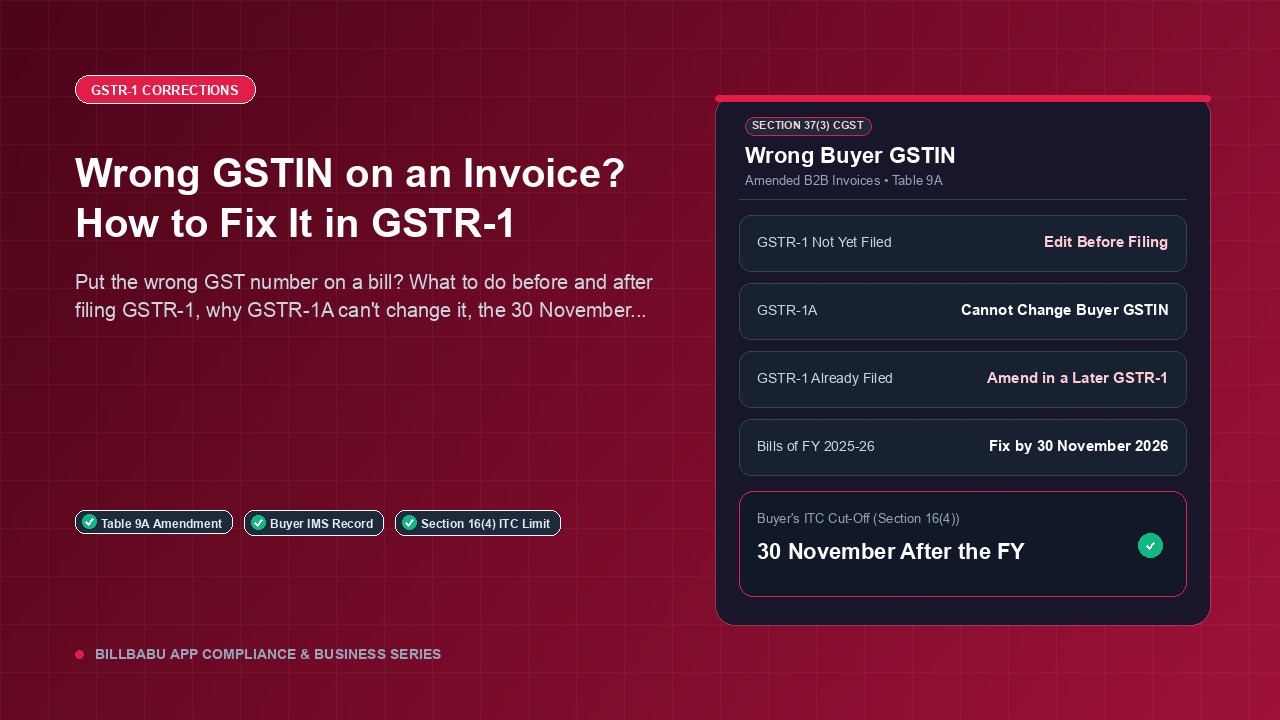
- GSTR-1 already filed: GSTR-1A can't change the buyer's GSTIN. It is corrected in a later GSTR-1, through the amendment table.
- Deadline (as of October 2026): 30 November after the financial year ends, or the annual return if that is filed earlier. For bills from April 2025 to March 2026, that is 30 November 2026.
Why a wrong GSTIN hurts your buyer
Once you save an invoice in GSTR-1 or IFF, it shows up in the Invoice Management System (IMS) of whichever GSTIN you typed (IMS FAQ, September 2024). That business can accept or reject it. A record with no action counts as accepted when their GSTR-2B is generated.
Your real buyer sees nothing. Under Section 16(2)(aa), they can claim credit only for invoices you report and that reach them. So their credit is stuck until you correct the return. For how the buyer sees this, read GSTR-2B and your buyer's ITC.
If the wrong GSTIN also has a different state code, the tax type on the bill may be wrong as well (CGST + SGST instead of IGST, or the reverse). Tell your CA, because that is more than a typing fix.
First, find where you are
| Where you are | What to do | Official source |
|---|---|---|
| GSTR-1 for that period not filed | Edit the invoice in your saved GSTR-1 data and file it correctly. The edited record replaces the old one in IMS, and the buyer's action resets. | GSTR-1 FAQ; IMS FAQ Q17 |
| GSTR-1 filed, GSTR-3B not filed | GSTR-1A can't change the buyer's GSTIN. Fix it in the next GSTR-1. | GSTR-1A FAQ |
| GSTR-1 and GSTR-3B both filed | Amend the invoice in a later GSTR-1 (amended B2B invoices table). | GSTR-1A FAQ; amendment help |
| After 30 November of the next financial year, or after the annual return | GSTR-1 no longer allows the correction. Talk to your CA. | Section 37(3) |
Before you file GSTR-1
This is the easy case. The GSTR-1 FAQ says invoices saved on the portal can be changed or deleted any number of times until the return is filed. Here is what to do:
- Correct the GSTIN in the party record of your billing software, so the next bill is right too.
- Make sure the corrected invoice is what goes into GSTR-1. If your CA uploads the data, tell them.
- Send the buyer the corrected bill.
Make GST bills and record payments on your phone
Search billbabu on Play Store to get BillBabu App. Start free, no card needed.
After GSTR-1 is filed
You might expect GSTR-1A to help. It is an optional return for amending or adding records of the same period, filed before that period's GSTR-3B (Rule 59(1)). But GSTN's GSTR-1A FAQ is clear: the recipient's GSTIN "cannot be amended through GSTR1A. Same can be done only through GSTR 1 of the following tax periods."
So the fix goes into the amended B2B invoices table (Table 9A) of a later GSTR-1, or IFF if you file quarterly. Your CA enters the financial year and the original invoice number, the old details fill in, and they save the corrected details (portal help). The amended record then appears in the correct buyer's IMS.
Ask your CA what to give the buyer alongside the amendment, such as a corrected copy of the same invoice.
Worked example (sample data)
Kaveri Electricals, a monthly filer, billed Sai Traders ₹47,200 on 20 March 2026, with two digits of Sai's GSTIN swapped. The March GSTR-1 and GSTR-3B were filed in April. Sai calls on 20 October 2026.
- GSTR-1A for March is closed (GSTR-3B is filed), and it couldn't change a GSTIN anyway.
- The bill belongs to FY 2025-26, so the last date to correct it is 30 November 2026.
- Kaveri's CA amends it in the October GSTR-1, due 11 November 2026.
- GSTR-2B is generated on the 14th (IMS FAQ), so the corrected record should reach Sai around 14 November, before Sai's own 30 November limit (see below). Waiting for the November return would miss it.
The deadline: 30 November
Section 37(3) allows no correction after 30 November following the end of the financial year, or after you file the annual return for that year, whichever comes first. The GSTR-1 FAQ (Q11) gives the same cut-off.
| Bills dated | Last date to correct in GSTR-1 (or the annual return, if earlier) |
|---|---|
| 1 April 2025 to 31 March 2026 | 30 November 2026 |
| 1 April 2026 to 31 March 2027 | 30 November 2027 |
Your buyer has a matching limit: under Section 16(4), ITC on an invoice can't be taken after 30 November following the financial year it belongs to (or the annual return, if earlier). A fix that reaches the buyer only in December may be too late for them, so don't leave it to the last return before the cut-off.
What your buyer sees in IMS
According to the IMS FAQ (Q20), if a buyer rejects a record after you have filed GSTR-1, you amend or add it in GSTR-1A or a later GSTR-1 or IFF. For a wrong GSTIN, only the later GSTR-1 route works, as explained above.
In practice:
- the business whose GSTIN you typed by mistake may reject the record. Ask them to;
- your real buyer should accept the amended record when it arrives.
GSTN has updated IMS since that FAQ, so check the portal for the current options.
Other routes a CA may suggest
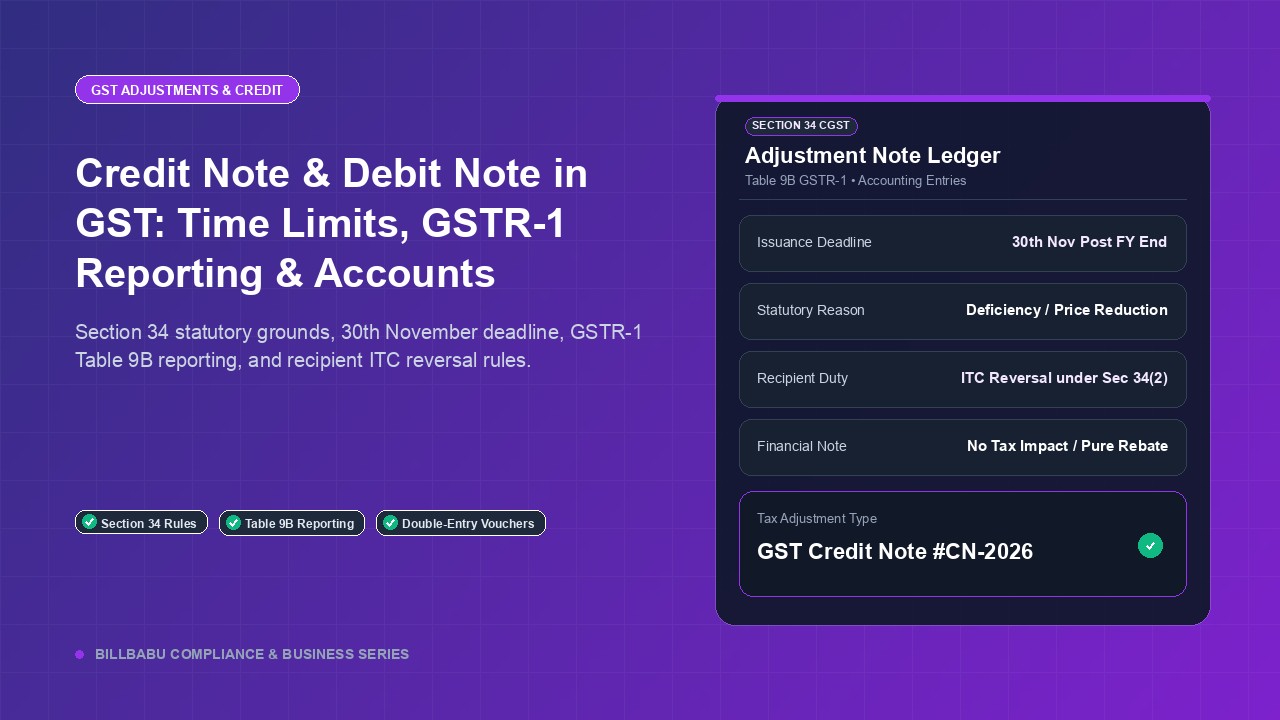
Some businesses cancel the bill with a credit note and issue a fresh invoice. Note that Section 34(1) lists the cases for a credit note: value or tax charged too high, goods returned, or goods or services found deficient. A wrong GSTIN isn't one of them. The portal FAQs point to the amendment route.
If your CA still chooses a credit note, two rules apply:
- it must be declared by the same 30 November date, or the annual return if earlier (Section 34(2));
- since 1 October 2025, your tax goes down only if the recipient has reversed any credit they took on it (proviso to Section 34(2)).
More in credit and debit notes in GST.
Is there a penalty?
Section 122(1)(i) lists issuing "an incorrect or false invoice" among the offences in that section. The Act doesn't set out a separate rule for a typing mistake. Correcting it promptly, through the amendment route the portal provides, is the normal course. If a notice ever arrives, show your CA the amended return.
Stop it happening again
- Save each party's GSTIN once, so you don't retype it on every bill.
- Match the state code. The first two characters of a GSTIN are the state code (CBIC registration rules), for example 07 Delhi, 23 Madhya Pradesh, 27 Maharashtra (state code list).
- Check new GSTINs on the GST portal's Search Taxpayer page. See how to check a GST number.
- Get it in writing. Ask for the GSTIN by message or a copy of the registration certificate, not over the phone.
In BillBabu App
- One GSTIN per party: you save each party's GSTIN once, and every bill uses it. The GSTIN box accepts only the right kind of character in each position and needs all 15. The app also won't save the same GSTIN twice in one business.
- What it doesn't check: it doesn't verify the number on the GST portal, check the last (check) character, or compare the state code with the state you pick. Do those checks yourself.
- Fixing a typo: edit the party's GSTIN. Bills read the buyer's GSTIN from the saved party, so when you open the bill again, the PDF shows the corrected number, and you can re-share it. This also updates that party's older bills, which is what you want for a typo. If a buyer has genuinely moved to a new GSTIN, add the new registration as a separate party instead.
- What it doesn't do: BillBabu App doesn't file GSTR-1, make amendments or issue credit notes. Your CA files the correction.
Frequently asked questions
GST bill me galti ho jaye to kya kare?
It depends on whether GSTR-1 is filed. If not, correct the bill and file. If it is filed, the buyer's GSTIN is corrected in a later GSTR-1 (not GSTR-1A), by 30 November after the financial year ends. Fix the party record so the next bill is right.
Can I amend the GST number in GSTR-1A?
No. GSTN's FAQ says the recipient's GSTIN can be amended only through GSTR-1 of a following period.
My buyer's credit is stuck. Will they get it once I amend?
The amended record reaches their IMS and GSTR-2B. They must still claim it within their own Section 16(4) limit, so amend early.
Save the GSTIN once, and save yourself the amendment. In BillBabu App, each party's GSTIN is saved once and its format is checked as you type. Start free, no card needed; unlimited bills need Pro (paid). Search billbabu on Play Store.
Rules checked on 23 October 2026.
This article is general information, not tax or legal advice. Rules change; check the official GST portal and your CA before acting. BillBabu App is a private app by Central Bharat Labs; it is not a government service.
Official sources: GSTR-1A FAQ, GSTR-1 FAQ and IMS FAQ on the GST portal; CGST Act Sections 16, 34, 37 and 122 on CBIC.
Tags
Related Articles
Credit Note and Debit Note in GST: Time Limits, GSTR-1 Reporting, and Accounting Entries
6 min read
E-Way Bill Rules 2026: Distance Validity, State-Wise Thresholds, and Consolidated E-Way Bills
6 min read
GST ITC Reversal Rules 2026: 180-Day Payment Rule, GSTR-2B Matching, and Re-Availment
6 min read
GST invoicing made easy for Indian small businesses
Make GST invoices and estimates, record payments, see party dues and keep stock, all from your phone. Start free, no card needed; upgrade to Pro for unlimited bills.